Refresh
Status Title Customer Total Updated Actions
Loading...
Draft
-
Viewed
-
Approved
-
Invoice
-
Paid
-
Archived
-
All
-
Open
$0.00
Paid
$0.00

Track & Manage Your Free Estimates

No Sign-up, No Account Needed.

WorkQuote offers a simple, free dashboard to manage your estimates and invoices. Create professional quotes fast and keep your business organized.

Creating a New Estimate

Start by creating and saving your first estimate or invoice.

  • Click New Estimate to start a new document.
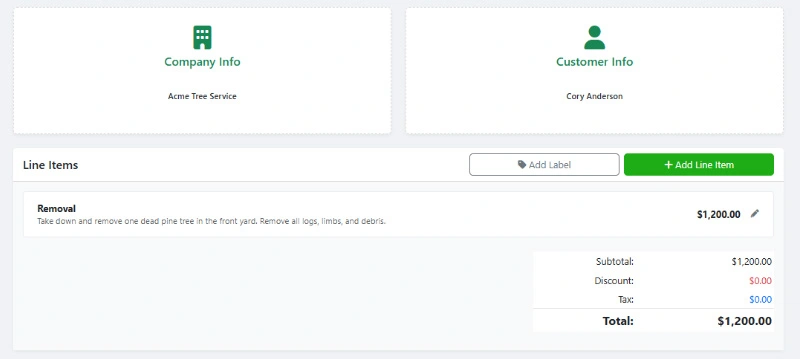
  • Add your estimate details, including your business and customer details.
  • Save your estimate to generate a unique link URL. Save this URL somewhere safe.
  • Share the unique link with your customer for approval.
  • Navigate back to this page to view all your estimates and invoices.
Importing Existing Estimates & Invoices

Retrieving your work is easy. Simply paste the unique Quote ID from any previous estimate to load it instantly onto this device.

  • Start by clicking the Refresh button to update any existing data.
  • To bring back data or to a new device, click the Import button.
  • Paste your unique link ID or full URL into the import field and click Import.
  • When using multiple devices, remember to refresh your data before making changes.

Manage All Your Estimates & Invoices

Keep your business organized. Filter by status, search for customers, and see exactly which jobs have been paid or approved at a glance.

  • Search and filter your documents to quickly find what you need.
  • Click on the title to view or edit your estimates and invoices.
  • Click on the Status column to quickly update estimate status, mark invoices as paid, or take other actions.

Easily Manage Estimate & Invoice Status

A unique advantage to a WorkQuote estimate is that it allows your customers to directly interact with your estimates, providing real-time updates and feedback. You also have the ability to manage and track the status of each estimate and invoice, ensuring you stay organized and informed.

Draft & Sent Estimates

The estimate has been saved and a unique link has been generated. You can send the estimate to your customer when ready.

Viewed by Customer

WorkQuote automatically marks the estimate as viewed when the client opens your link. This helps you know the perfect time to follow up.

Approved Estimate

The client has accepted the quote. Automatic notifications are sent if you have included an email. You can now proceed with the work knowing the terms are agreed upon.

Completed Work (Invoice)

Convert an approved estimate into a final Invoice with one click. Send this to request payment for completed jobs.

Completed (Invoice Paid)

Mark invoices as paid once payment is received. Keep track of payment methods, your cash flow, and outstanding balances easily.

Archived

Keep your dashboard clean by archiving old or rejected quotes without permanently deleting the data.


Quickly Create Free Estimates & Invoices

Use WorkQuote's free Estimate & Invoice Generator to create professional quotes and invoices for your service business. No sign-up or account needed.

  • Modern Design: Create professional estimates that look great on any device.
  • Custom Branding: Add your logo and customize colors to match your brand.
  • Live Preview: See real-time updates as you create your estimates and invoices.
  • Import: Easily import and manage estimates and invoices on any device.
WorkQuote's Free Estimate And Invoice Generator

Create modern estimates that win jobs!


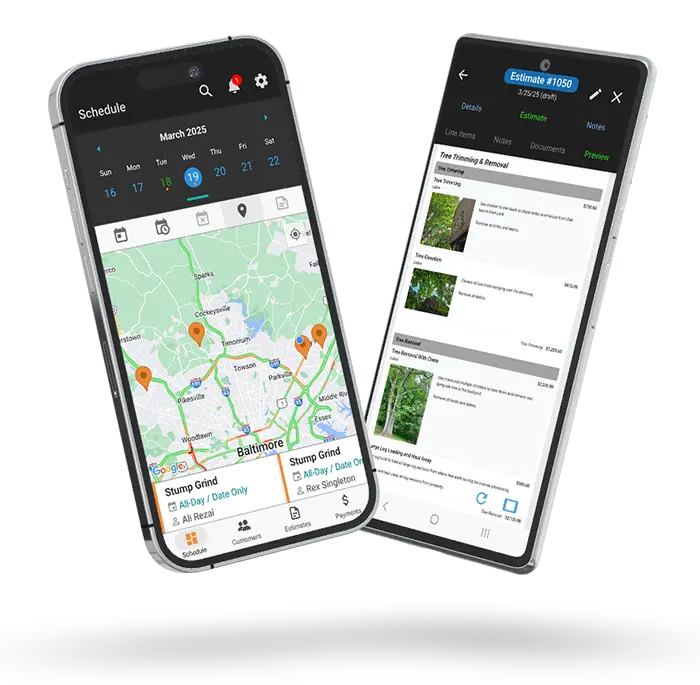
Upgrade to the Complete WorkQuote App

Get It Now

Try the WorkQuote App Today!

credit_card_off

No Credit Card Required

Start instantly. We don't ask for a card or any payment information.
rocket_launch

Full Feature Access

Test every feature, from unlimited estimates to scheduling, with your real jobs.
free_cancellation

Nothing To Cancel

If you don't subscribe within 21 days, your trial simply expires. No fees, no obligation.

Frequently Asked Questions

Find answers to common questions about our field service software.

This free online tool is designed for quick, no-account estimates created locally on your web browser. The WorkQuote App is a complete field service solution that backs up your data to the cloud, allowing you to schedule jobs, track expenses, and manage a full client database from any device.

This tool relies on your browser's local storage for speed and privacy. However, if you clear your cache or lose your device, your data will be lost.

For permanent, secure cloud storage that backs up your data and allows you to access it from *any* phone or computer, we strongly recommend downloading the WorkQuote App.

This free manager is strictly for creating estimates and invoices. To access advanced features like Job & Task Scheduling, Expense Tracking, and Income Reports, you should upgrade to the full WorkQuote App.

Yes! The WorkQuote App comes with a 21-day full-feature free trial. No credit card is required, so you can test how professional scheduling and client management features can help your business grow risk-free.

While this tool is great for quick documents, the WorkQuote App helps you run your entire business. It streamlines your workflow with status tracking, client history, professional branding, and insights that help you win more jobs.
Download the WorkQuote App for More Features
Includes a No-Sign-Up Guest Demo Mode.

Disclaimer & Data Policy: This is a free WorkQuote tool is provided "as is" without warranty of any kind. While we strive to ensure accuracy and reliability, users are responsible for verifying the information and suitability of generated documents for their specific needs. WorkQuote disclaims any liability for damages arising from the use of this tool. This tool allows unlimited service that does not require a login; instead, your data ID is stored locally on your device using cookies and browser storage. If you clear your browser cache or switch devices, your data may be lost. If you previously saved your work, you can use that share link to import and restore your data. All documents and data are automatically permanently deleted after 6 months of inactivity.