Service Area & Trip Charge Calculator

Stop losing money on the road. Calculate the true cost of "Windshield Time," determine fair trip charges, and protect your profit margins.

Labor Costs
Enter the combined hourly cost for everyone in the vehicle.
Travel & Vehicle Expenses
/mi
Using Standard Mileage Rate covers gas, insurance, wear & tear, and depreciation.
Manual Entry miles
Job Revenue Context
Trips per Week
True Trip Cost

$0.00

0 mins driving time

Effective Hourly Rate

$0.00

$0.00

Your rate drops due to unpaid drive time.

Annual Impact

At 3 trips/week, you lose $0 per year in unbilled windshield time.

Labor: $0 Vehicle: $0

Margin Erosion Reality
Net Revenue
Lost
Initial Ticket: $250.00 Loss: 10% Real Revenue: $200.00
Warning: You are losing money on this job before you arrive.
Total Quote to Maintain Margin

Original Ticket + Trip Costs

$0.00
Share This Calculation

Scale Your Service Business

Mastering your margins is just the start. Use WorkQuote to transform your calculations into professional estimates and invoices, manage customers, and handle scheduling and lead tracking from one simple dashboard.

What is Windshield Time?

Windshield time is the unbilled hours your technicians spend driving to and from jobs. Unlike billable hours, this time incurs costs (wages + fuel) without generating revenue, significantly lowering your effective hourly rate.

What is Margin Erosion?

Margin erosion occurs when hidden costs—like long drive times—eat into the projected profit of a job. A job quoted at 40% margin can easily drop to 15% if the travel time wasn't factored into the price.

What is a Trip Charge?

A trip charge (or zone fee) is a fixed fee added to an invoice to cover the expense of reaching the customer. It ensures your base labor rate remains competitive while protecting you from the costs of distance.

How to Calculate & Recapture Your Travel Costs

"Windshield time" - the unbilled hours spent driving to and from jobs—is the silent killer of service business profit margins. Use this tool to visualize exactly how much distant jobs are costing you and determine a fair Service Area Surcharge to protect your bottom line.

Step 1. Input Your Operational Baselines

To get an accurate "True Trip Cost," you need to account for both the vehicle expense and the payroll bleed that happens while the wheels are turning.

  • Labor Costs: Enter the combined hourly labor cost for the entire crew in the vehicle. If you have two techs at $25/hr each, enter $50.
  • Vehicle Expenses: You can calculate based on simple gas mileage or toggle on the IRS Standard Mileage Rate. We highly recommend using the IRS rate (approx. 67¢/mi) as it accounts for wear, tear, tires, insurance, and depreciation—not just fuel.
Step 2. Define the Distance & Job Scope

Context is everything. A 45-minute drive for a $10,000 install is negligible; the same drive for a $150 repair is disastrous.

  • Distance: Input the one-way distance to the job site. The calculator defaults to a "Round Trip" calculation because you have to drive back, but you can toggle this off in the settings if the crew is heading to another job nearby.
  • Job Value: Enter the estimated ticket size. This allows the tool to calculate your Margin Erosion—the specific percentage of revenue lost to travel before you even start working.

Step 3. Analyze & Apply the Trip Charge

The results section provides the hard numbers you need to justify your pricing to customers or adjust your dispatching strategy.

  • Effective Hourly Rate: This metric shows your real earning power. It takes your job revenue and divides it by the total time invested (Job Time + Drive Time). Watch how quickly a $100/hr job drops to $60/hr on long drives.
  • Suggested Fee: This is the break-even amount required to cover the travel expense. Add this as a line item labeled "Remote Service Fee" or "Zone Surcharge" on your invoice.
  • Share the Data: Use the share buttons to save this calculation for a specific client or send the link to your office manager to demonstrate why a specific service area radius is necessary.

Quickly Create Free Estimates & Invoices

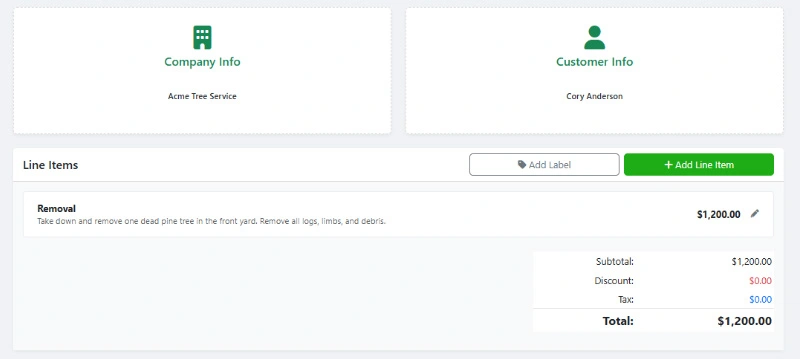
Use WorkQuote's free Estimate & Invoice Generator to create professional quotes and invoices for your service business. No sign-up or account needed.

  • Modern Design: Create professional estimates that look great on any device.
  • Custom Branding: Add your logo and customize colors to match your brand.
  • Live Preview: See real-time updates as you create your estimates and invoices.
  • Real-Time Feedback: Know when estimates are viewed and accepted by your clients.
WorkQuote's Free Estimate And Invoice Generator

Create modern estimates that win jobs!


Organize your Business into one App with WorkQuote

Get It Now

Risk-Free Trial. No Strings Attached.

credit_card_off

No Credit Card Required

Start instantly. We don't ask for a card or any payment information.
rocket_launch

Full Feature Access

Test every feature, from unlimited estimates to scheduling, with your real jobs.
free_cancellation

Nothing To Cancel

If you don't subscribe within 21 days, your trial simply expires. No fees, no obligation.

Service Area & Trip Charge Calculator FAQs

Find answers to common questions about our field service software.

Windshield time refers to the non-billable hours your crew spends driving to and from job sites. It matters because it costs you double: you pay for the vehicle expenses (fuel/wear) AND the payroll for the crew, all while generating zero revenue. High windshield time drastically lowers your effective hourly rate.

For the most accurate financial picture, use the IRS Mileage Rate toggle. Calculating gas alone ignores the hidden costs of vehicle ownership—tires, oil changes, insurance, and depreciation. The IRS rate (typically around 67 cents/mile) is the industry standard for the true cost of operating a vehicle.

Transparency is key. Instead of hiding it, list it as a 'Service Area Surcharge' or 'Remote Travel Fee.' Explain that this fee covers the vehicle and crew costs to reach their specific location, allowing you to maintain your high standard of service without inflating your base labor rates for local customers.

Margin Erosion represents the chunk of your gross revenue that evaporates due to travel costs before you arrive. If you have a $200 job and it costs $50 to get there, you have experienced 25% margin erosion. This calculator helps you flag jobs where the erosion is too high to be profitable.

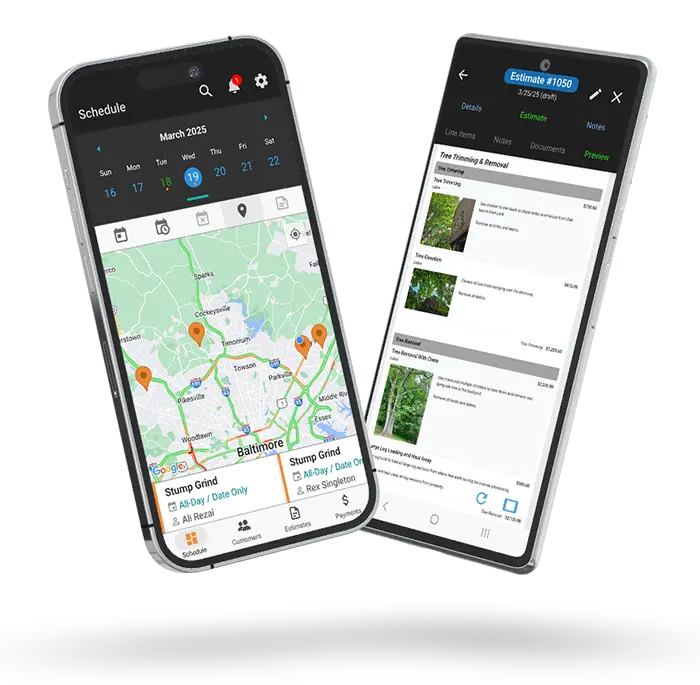
Yes. Instead of calculating this manually for every lead, you can use WorkQuote. The app allows you to draw custom service area zones on a map and automatically apply specific trip charges or surcharges based on the customer's location. This ensures you never underquote a distant job again.

Free Contractor Calculators & Business Tools

Streamline your operations and protect your profit margins. Use our free suite of estimating software, ROI calculators, and pricing tools designed specifically for trade contractors.

Estimate & Invoice Generator

Create professional PDF estimates and invoices instantly.

Estimate Manager

Track status, payments, and client history in one place.

Service Price Calculator

Determine profitable pricing based on your overhead costs.

Service Area Map Tool

Visualize your service radius on a map for marketing.

Local Marketing ROI Calculator

Measure the effectiveness of your local ad spend.

Labor Burden Cost Calculator

Calculate true employee costs including taxes and benefits.

Equipment Buy vs. Rent

Compare long-term costs to make smart equipment decisions.

Good-Better-Best Generator

Upsell clients with tiered service package proposals.

Hourly vs. Project Rate

Decide which pricing model maximizes your project profit.

Estimate Follow-Up Generator

Generate persuasive follow-up email templates to close deals.

Download WorkQuote for Advanced Business Tools
Includes a No-Sign-Up Guest Demo Mode.

Disclaimer & Data Policy: This free WorkQuote tool is provided "as is" without warranty of any kind. While we strive to ensure accuracy and reliability, users are responsible for verifying the information and suitability of generated data for their specific needs. WorkQuote disclaims any liability for damages arising from the use of this tool.